
SEO
Decoding Redirect Chains in Technical SEO Workflows
A practical guide to finding and fixing redirect chains, loops, canonical drift, crawl budget waste, and deployment routing mistakes in modern web systems.
Decoding Redirect Chains in Technical SEO Workflows
A practical guide to finding and fixing redirect chains, loops, canonical drift, crawl budget waste, and deployment routing mistakes in modern web systems.
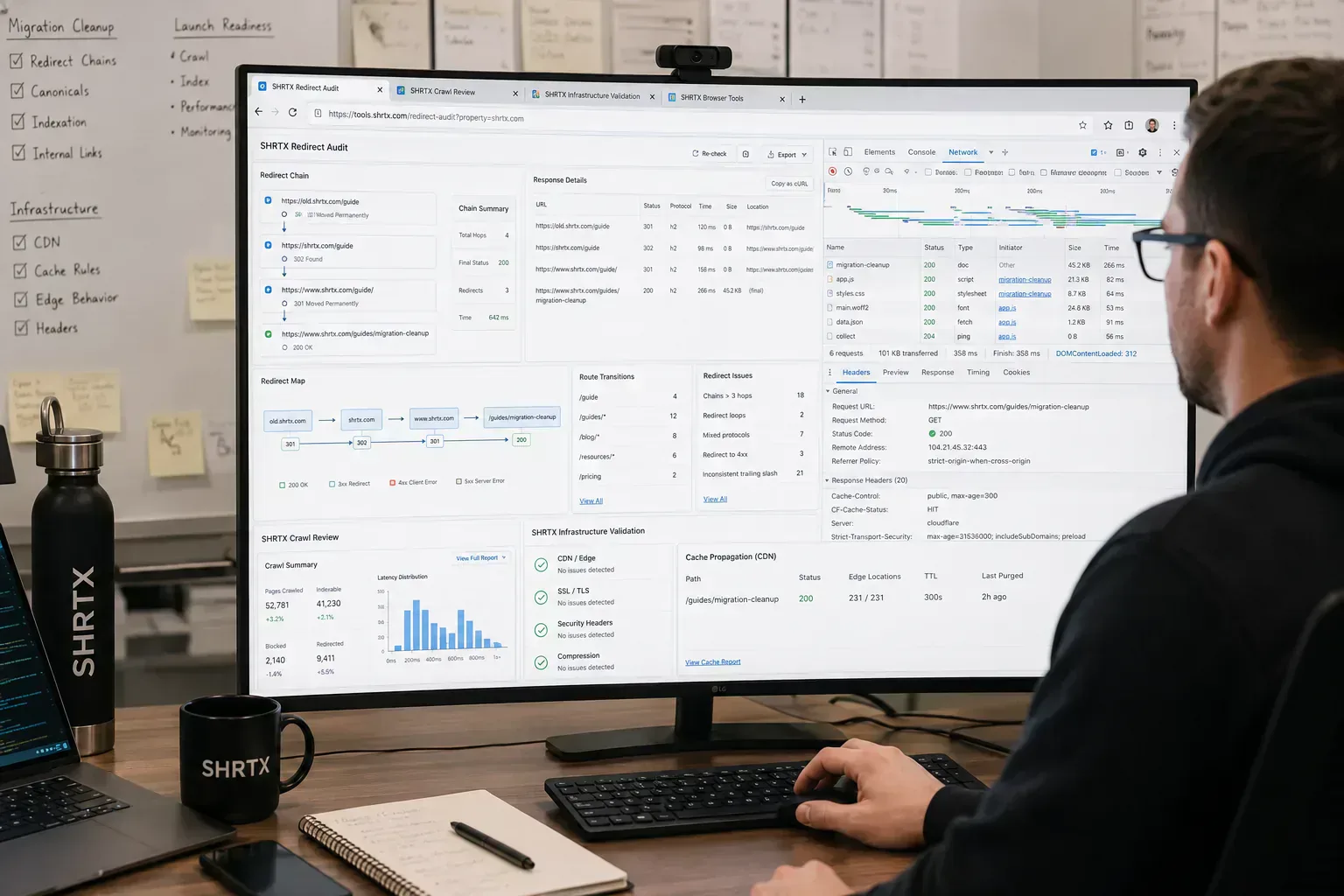
Redirect problems often appear after a migration looks finished. The browser lands on the right page, but the route passes through old slugs, protocol rules, locale fallbacks, tracking cleanup, and CDN cache behavior before it resolves. A staging redirect may also survive because nobody tested the chain from the source URL that users still share.
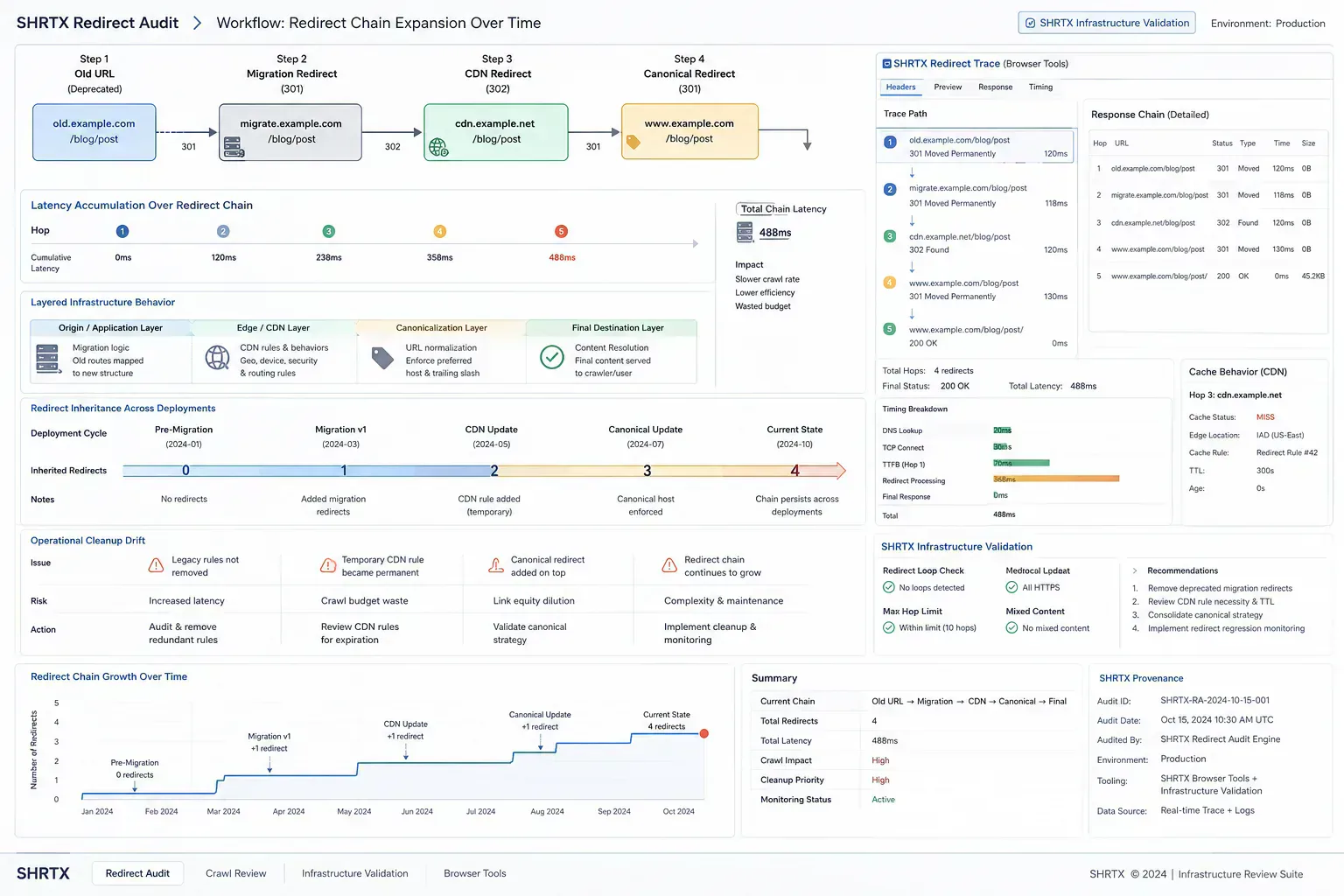
That extra path affects crawlers, analytics attribution, link previews, and deep-link fallback behavior. A redirect audit should treat every hop as routing logic that needs a current reason to exist. If the reason is gone, the hop should be removed or replaced with a direct mapping.
Quick Answer
Redirect chain audits should capture the requested URL, every hop, each status code, the final destination, canonical alignment, and source links that still point at old paths. The goal is predictable routing, not a page that eventually loads.
Why Chains Accumulate
Chains are usually built from reasonable fixes. A site moves from HTTP to HTTPS, a product slug changes, a CMS import rewrites paths, a campaign URL gets normalized, and a locale router adds another hop. Each rule made sense in its original release window.
The failure happens when those rules become the new source of truth. Internal links keep copying redirected URLs, old sitemaps linger, and canonical tags point to destinations that no longer match the redirect path. The team sees a working page while crawlers see an avoidable route.
Compare Redirect Failure Types
| Failure Type | Typical Cause | Best Fix |
|---|---|---|
| Long chain | Layered migration rules and stale internal links | Map the source URL directly to the final canonical URL |
| Redirect loop | Conflicting app, CDN, or locale rules | Remove the conflicting condition and test each variant |
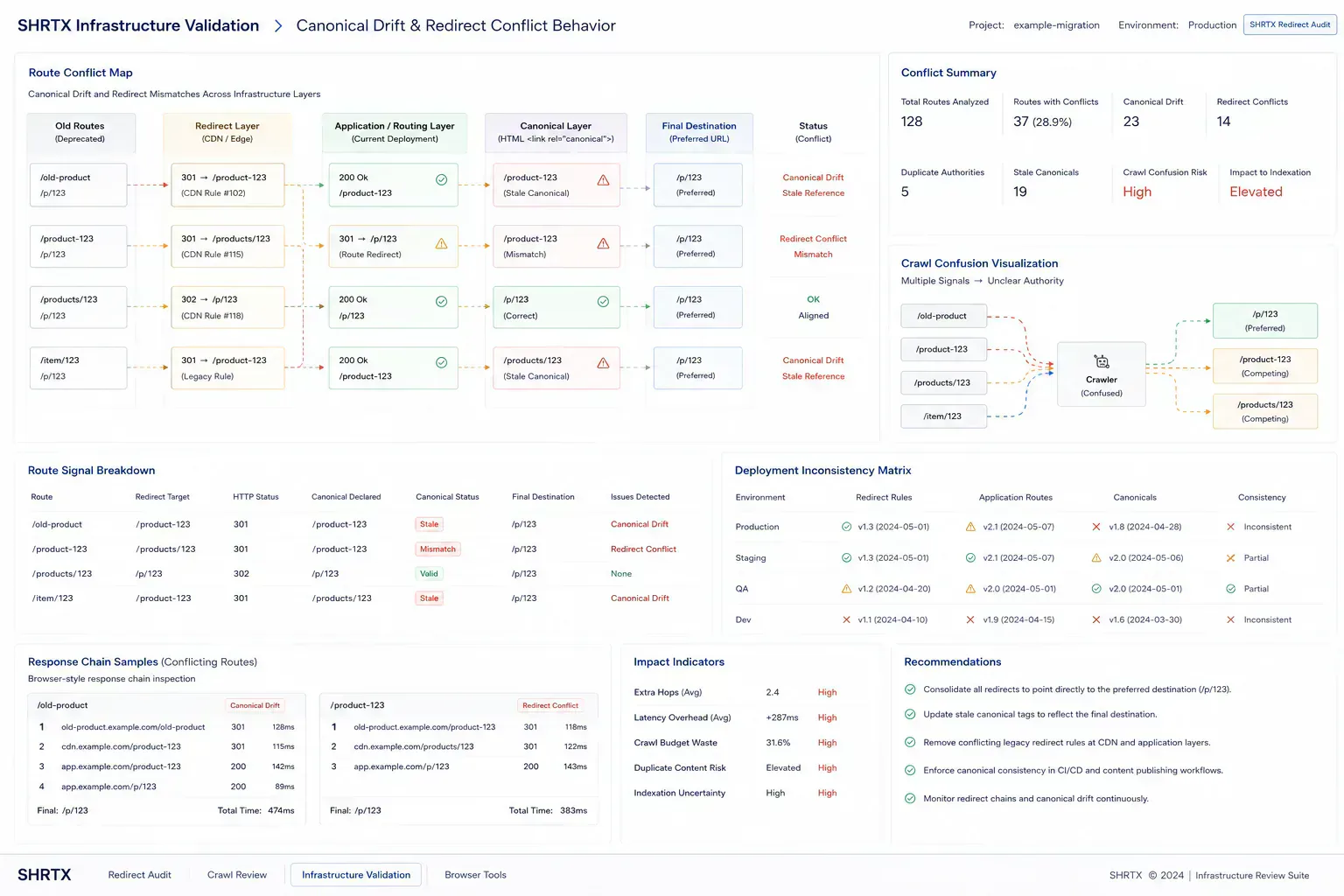
| Canonical drift | Final URL and declared canonical disagree | Align metadata, sitemap, and redirect target |
| Staging leftover | Preview or QA path copied into production config | Search rules and source links for preview hostnames |
Inspect The Chain From The Terminal
Browser address bars hide too much. A redirect audit needs status codes, locations, and final URLs in order. This small shell loop keeps the output readable during migration cleanup.
url="https://example.com/old-tool"

for step in 1 2 3 4 5
do
  response=$(curl -sI "$url")
  status=$(printf "%s" "$response" | awk 'NR==1 {print $2}')
  location=$(printf "%s" "$response" | awk 'tolower($1)=="location:" {print $2}' | tr -d '\r')
  printf "%s %s\n" "$status" "$url"
  [ -z "$location" ] && break
  url="$location"
done
Use the output with a browser-native check such as Redirect Chain Checker when you need quick review during content cleanup. Pair it with URL Normalizer and Canonical URL Generator when the issue touches both routing and metadata.
CDN Cache Can Hide The Current Rule
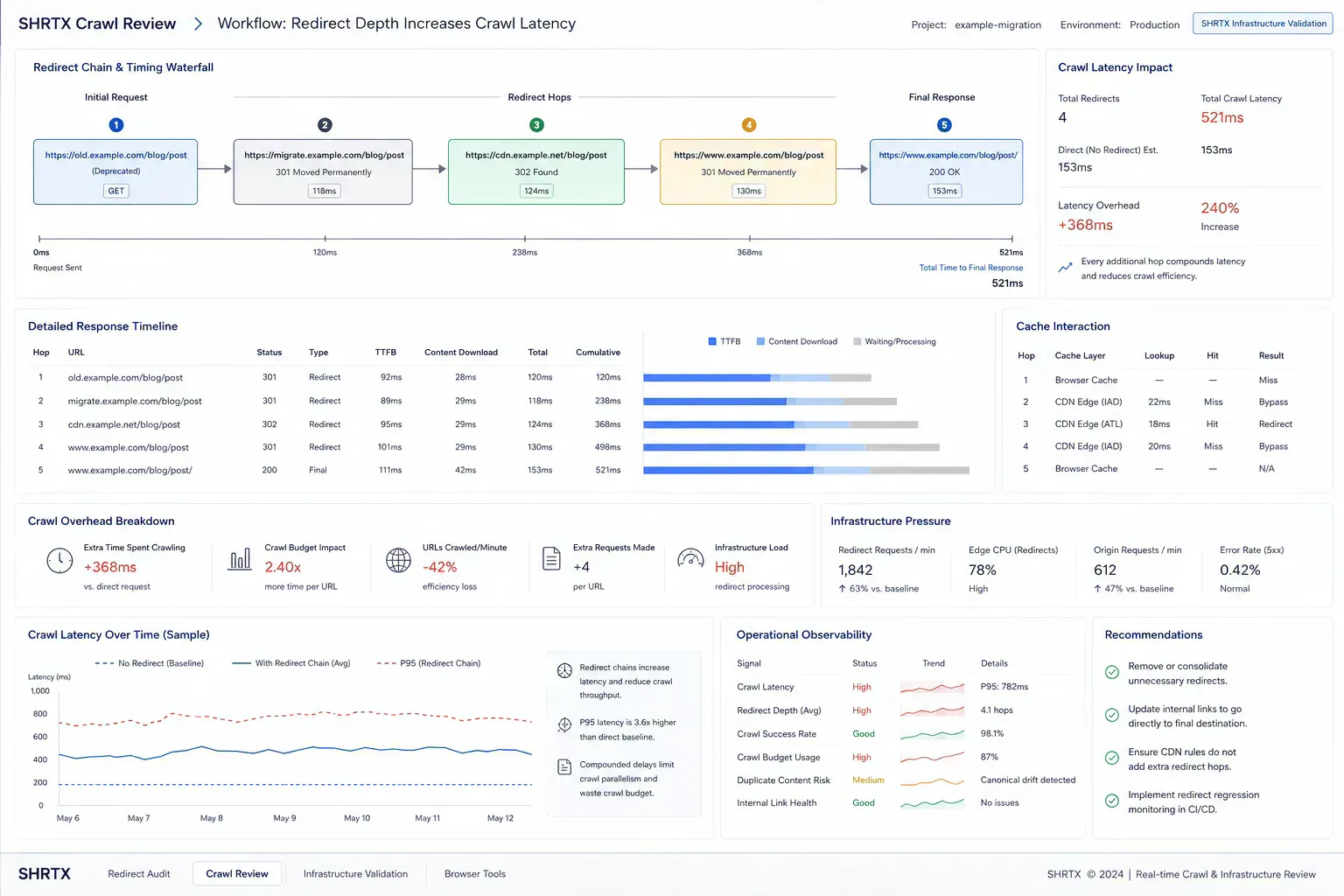
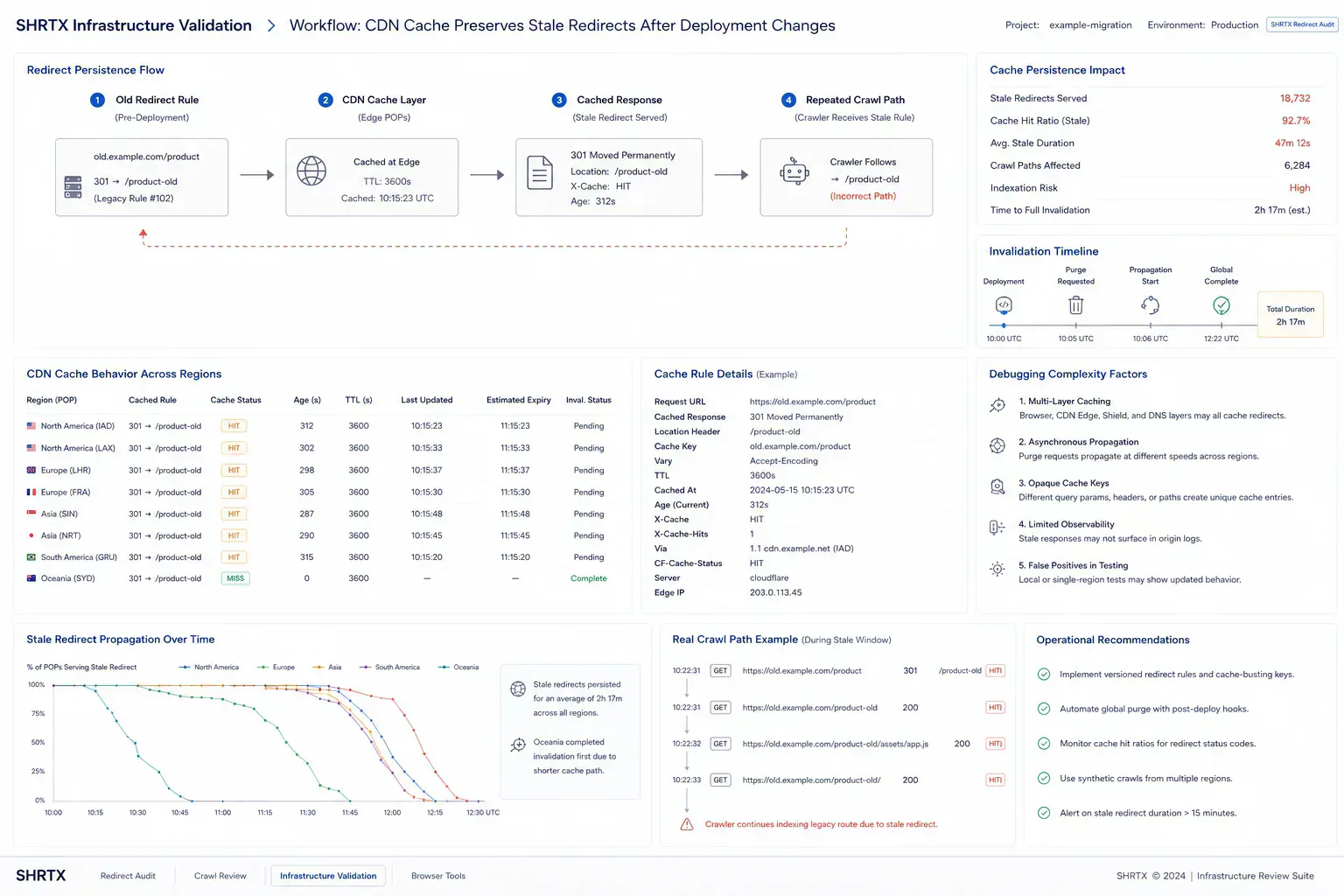
Redirect fixes can fail review because the CDN still serves an older response. A local environment may pass, staging may pass, and production may keep a cached 301 that points through an old path. Edge-region redirect inconsistency can make the same source URL resolve differently depending on where the request starts.
Check both fresh and warmed paths. Test mobile preview URLs, campaign links, and old internal links that still receive traffic. If a rule was changed during a migration, verify that the cache invalidation plan matches the routing rollout.
Deep Links Need Clean Web Paths
Mobile and SaaS onboarding flows often combine web redirects with universal links, app links, and fallback URLs. A broken redirect can look like an app-link failure when the real problem is the web chain that runs first. Stale mobile-app deep-link redirects add another failure layer because the app fallback may preserve an old web path after the public route is fixed.
Deep Link Builder belongs after the web chain is known. It should not hide routing debt. When the web path is predictable, app fallback testing becomes much easier to reason about.
Update Sources, Not Only Rules
Many teams fix the redirect config and leave internal links pointing at the old path. That keeps the chain alive through the next content update, sitemap generation, or client review link. The durable fix updates source links, canonicals, sitemaps, and redirect rules together.
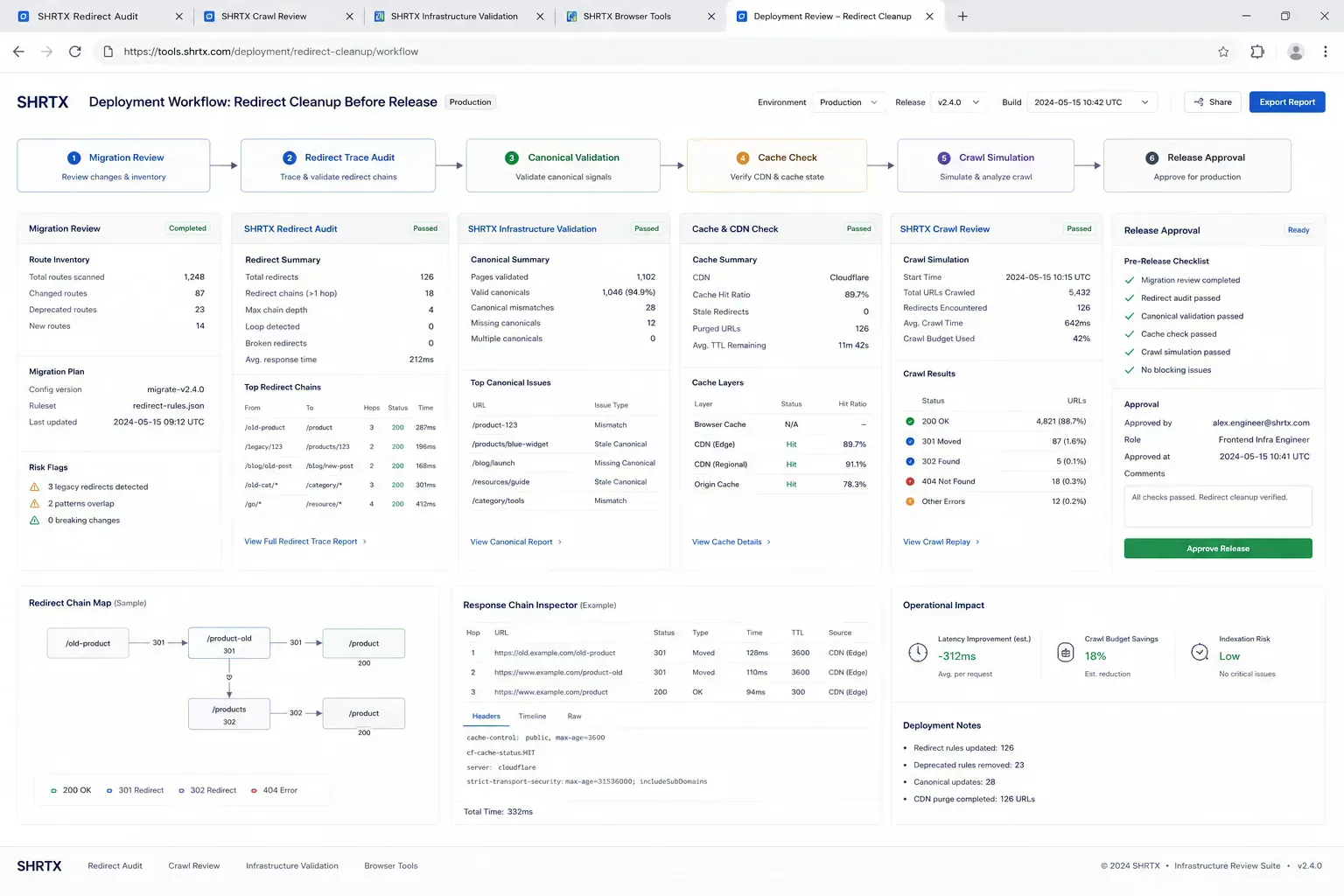
Document the requested URL, hop list, final URL, canonical URL, cache behavior, and remaining source links. Keep old redirects when they still protect external traffic. Remove hops that only preserve history inside your own site.
Final Takeaway
Redirect chains are infrastructure debt with search consequences. The clean audit shortens unnecessary hops, aligns canonicals, clears stale source links, and accounts for CDN behavior. A route should tell the same story to crawlers, previews, analytics, and users.
Tools Referenced By Topic
Related Reading
Apr 7, 2026 • 6 min
Core Web Vitals in 2026: Operational Workflow Over Score Chasing
A practical Core Web Vitals guide for frontend teams covering LCP, CLS, INP, media payloads, responsive layouts, and deployment validation.
Mar 11, 2026 • 6 min
Auditing Internal Link Equity in Workflow-Heavy Websites
A practical guide to internal link audits for utility platforms, content hubs, tool ecosystems, anchor text, orphan pages, and search discovery.
Feb 21, 2026 • 6 min
Semantic HTML Workflows Beyond Heading Tags
A practical SEO and accessibility guide to semantic HTML structure, landmarks, content hierarchy, schema alignment, and frontend rendering discipline.