
SEO
Auditing Internal Link Equity in Workflow-Heavy Websites
A practical guide to internal link audits for utility platforms, content hubs, tool ecosystems, anchor text, orphan pages, and search discovery.
Auditing Internal Link Equity in Workflow-Heavy Websites
A practical guide to internal link audits for utility platforms, content hubs, tool ecosystems, anchor text, orphan pages, and search discovery.

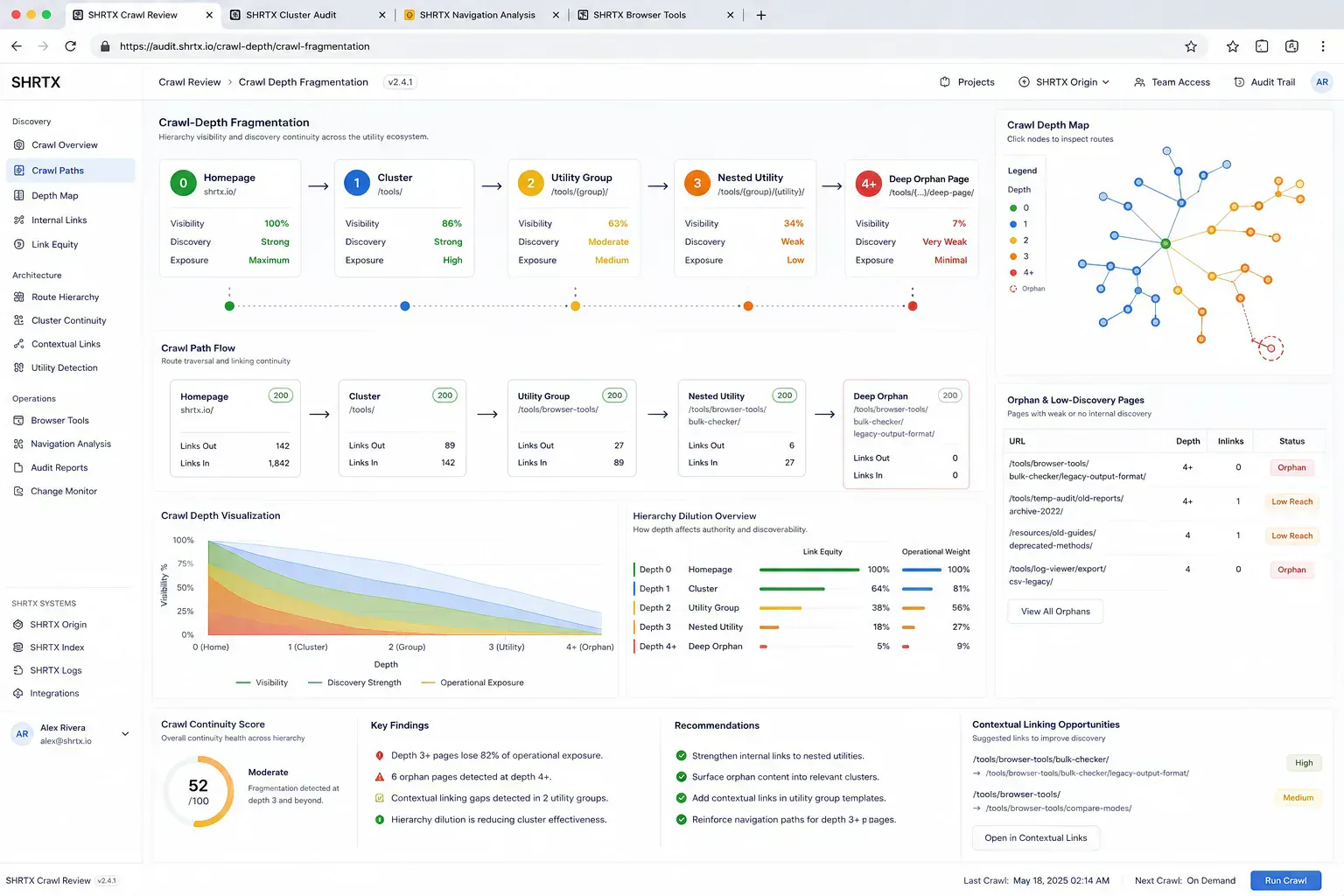
Internal link debt rarely arrives as a single broken page. It shows up after a tool launch, a renamed category, a content migration, a footer redesign, or a CMS import where older posts keep pointing at the previous structure. The page still renders, but useful tools sink three clicks deep or sit behind links that crawlers rarely reach.
For a utility platform, internal links are part of architecture. They connect guides to tools, tools to adjacent checks, and clusters to the next operational step. A link audit should map crawl paths and user paths together instead of counting links in isolation.
Quick Answer
Internal link audits should identify which pages receive crawl paths, which workflow pages stay isolated, and which anchors describe real next actions. Strong links reduce orphaned utilities, limit crawl-priority dilution, and make cluster relationships visible in the rendered page.
Start With Crawl Paths, Not Link Counts
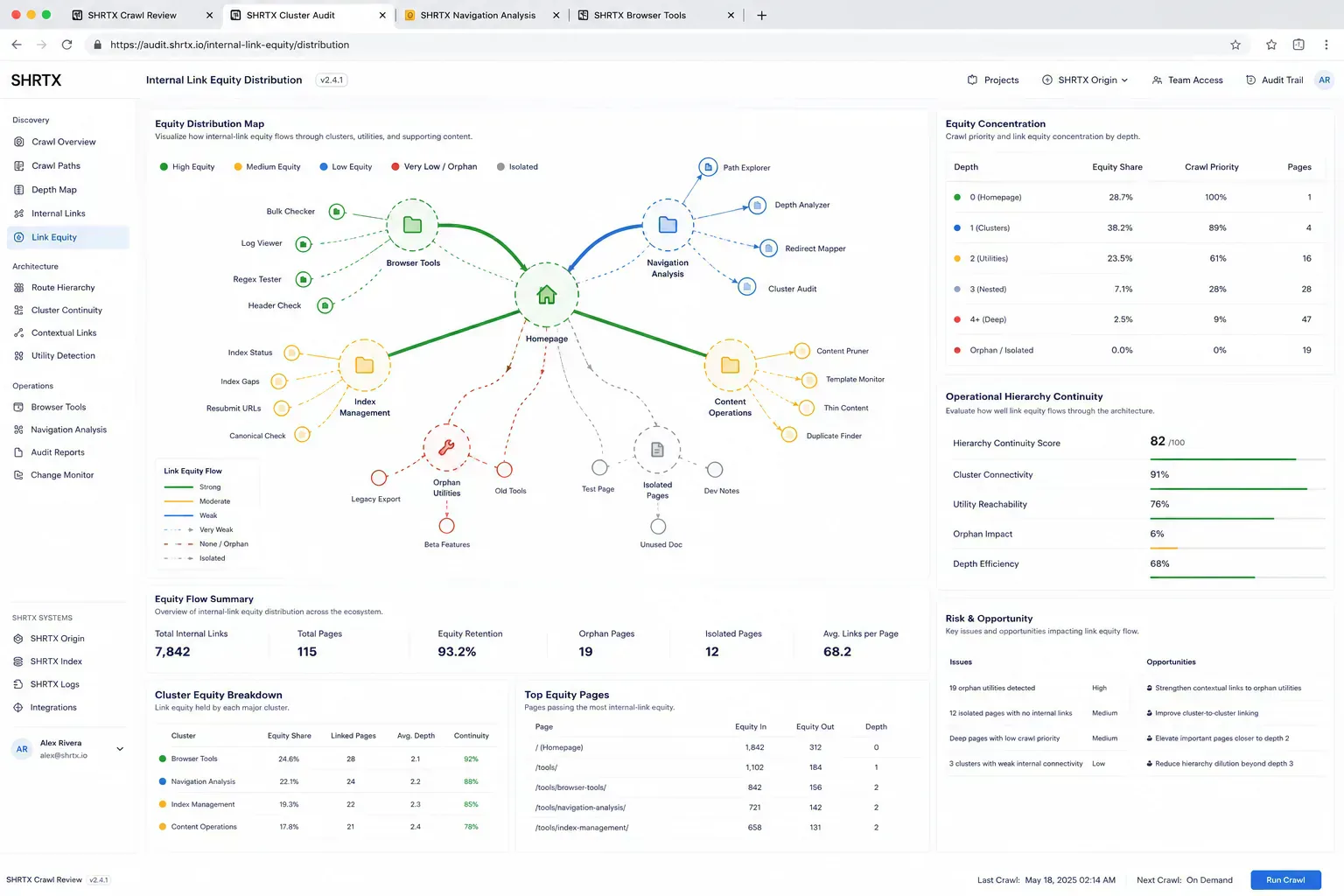
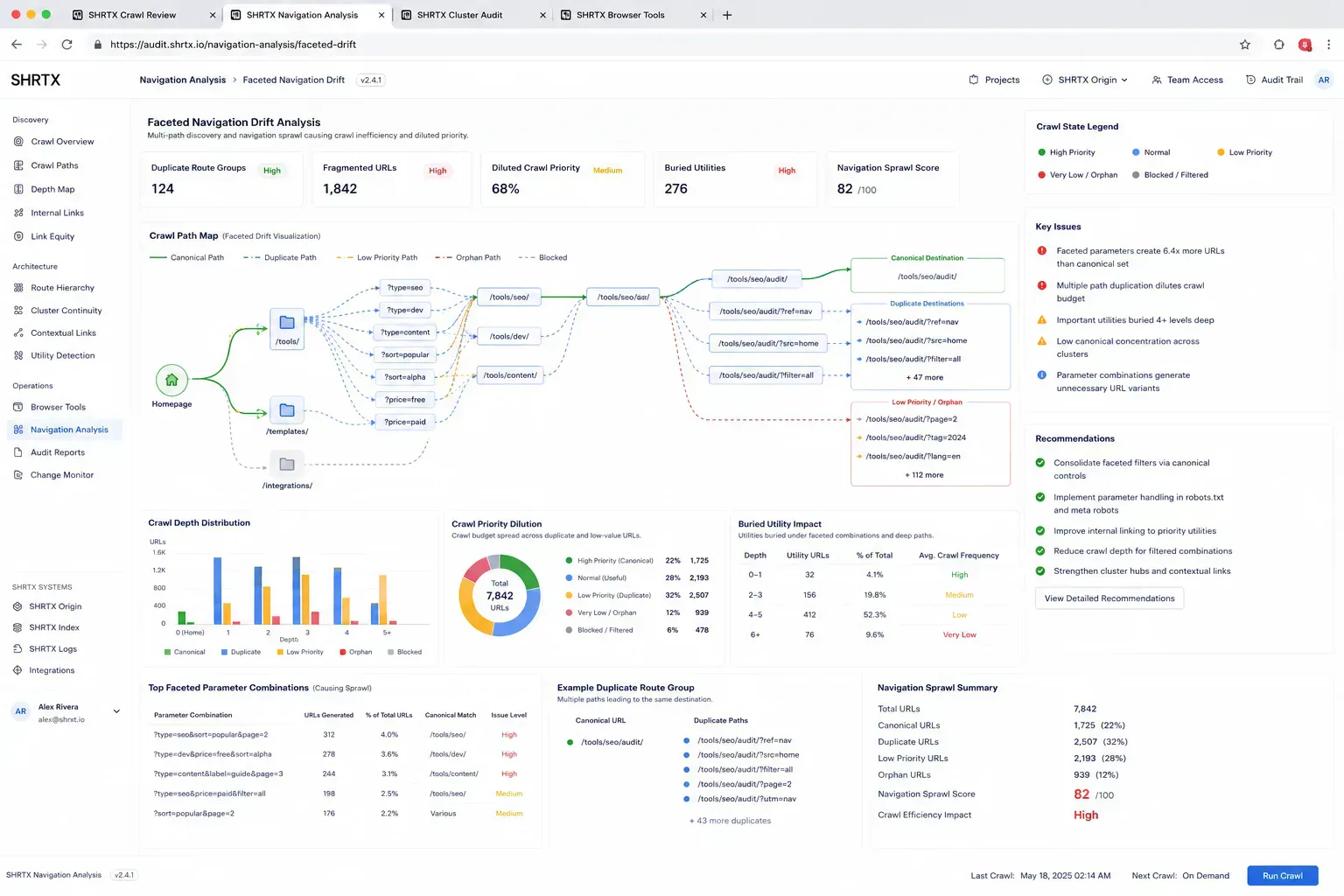
A flat catalog can look complete while hiding priority pages behind weak navigation. Enterprise navigation sprawl makes this worse. Teams add mega menus, tag pages, pagination, related blocks, footer links, and faceted filters until every page technically links somewhere, but few paths explain priority.
Start with the pages that matter for discovery and conversion. Then trace how a crawler and a user would reach them from hubs, articles, tool pages, paginated lists, and related workflow blocks. If a utility is useful after a file upload guide, the path should not depend on a generic all-tools page or page six of a category archive.

Compare Link Audit Approaches
| Audit Approach | Operational Value | Risk |
|---|---|---|
| Raw link count | Finds pages with no inbound links | Ignores anchor context and workflow fit |
| Navigation review | Checks category, hub, and pagination exposure | Can miss article-to-tool continuity and buried utilities |
| Cluster path audit | Maps guides, tools, follow-up actions, and cluster boundaries | Needs judgment about real task sequence and crawl priority |
| Rendered DOM crawl | Exposes links after hydration and responsive changes | May differ from static HTML if the app renders late |
Inspect Rendered Links Locally
Browser inspection is useful when link blocks depend on client-side data or responsive layout. A quick console helper can list anchors, detect repeated labels, and reveal links that only appear after hydration. Use it on staging and production because a cached navigation payload or responsive menu can change what crawlers and users actually see.
const links = [...document.querySelectorAll("a[href]")]
  .map((link) => ({
    text: link.textContent.trim().replace(/\s+/g, " "),
    href: new URL(link.href, location.href).pathname
  }))
  .filter((link) => link.text)

console.table(links)
This is not a full crawler. It is a fast browser-native check before a heavier audit. It catches links hidden behind component state, duplicate anchors in related blocks, pagination gaps, and paths that still route through old slugs.
Anchor Text Should Carry Task Intent
Anchor text should describe the next task, not only the destination label. A link to image compression before CMS upload carries more operational context than a generic related tool label. It gives the reader a reason to move and gives search systems a clearer relationship between pages.
The same applies to developer workflows. A JSON cleanup article should link to JSON Formatter & Validator when the context is API payload review. A deployment guide can reference Redirect Chain Checker when stale routes are part of release cleanup.
Links Preserve Operational Momentum
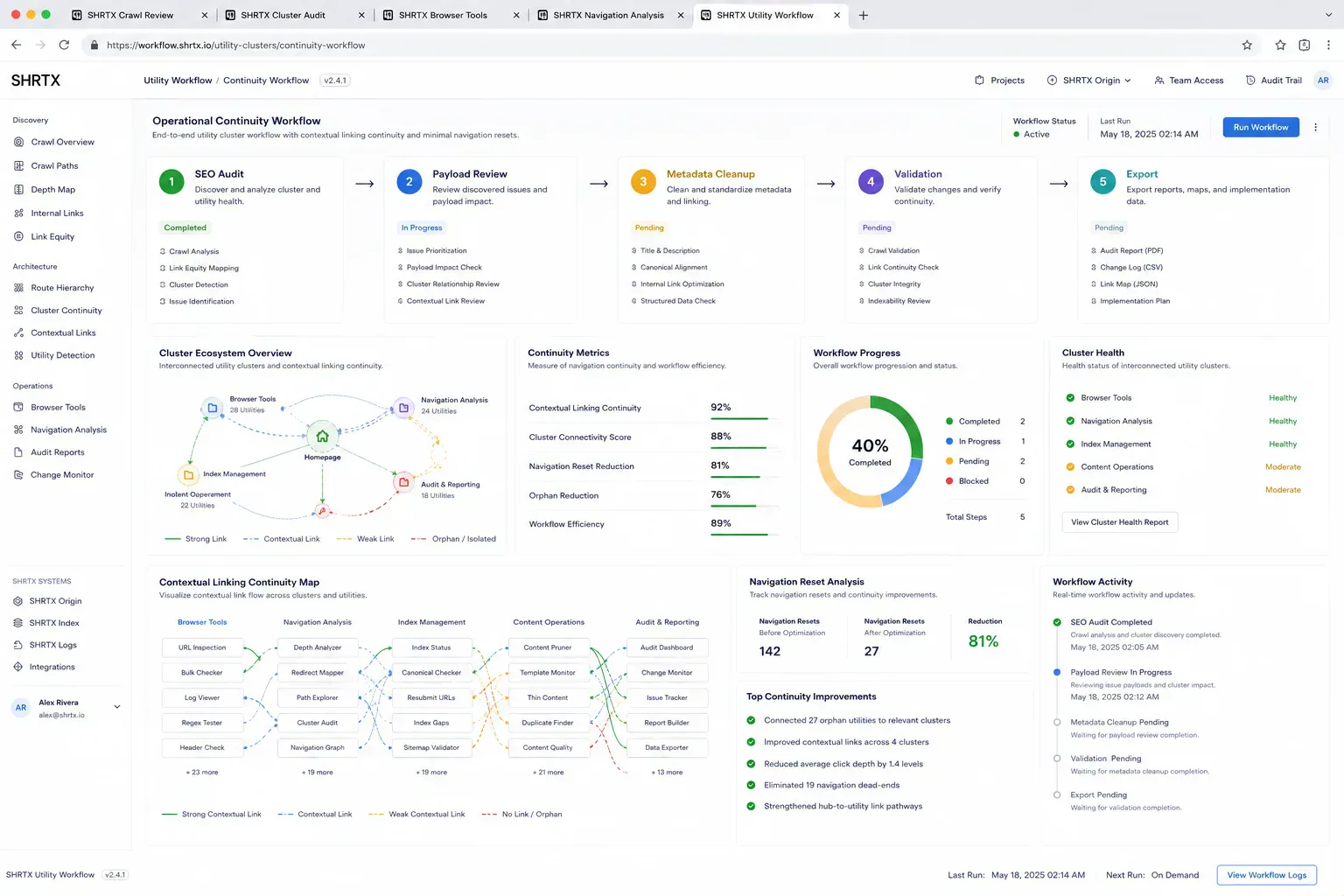
Internal links also protect the human task chain. During a cleanup pass, a reviewer might find a buried upload guide, move to File Size Analyzer to verify payload risk, normalize the destination with URL Normalizer, then validate broken paths before updating the cluster note. Good contextual links keep that browser-native flow moving without forcing the reviewer back through search, bookmarks, or a generic tool catalog.
That continuity helps crawlers and operators for the same reason: the next step is visible at the point of need. Crawl paths become clearer, and the person doing the audit loses less context between diagnosis, cleanup, and validation.
Audit Orphans And Over-Linked Pages Together
Orphaned pages are obvious once found. Over-linked pages are quieter. If every guide links to every nearby tool, contextual links stop acting like recommendations and start acting like catalog noise.
A practical audit removes links as well as adding them. Keep links where the next action is defensible inside the workflow. Drop links that dilute priority, point into stale facets, or exist because a keyword matched while the task sequence does not make sense.
Maintain Clusters During Product Changes
Clusters drift when tools are renamed, category pages change, or new guides become better entry points than old ones. A migration can leave internal links pointing through redirects even when the public page loads. A navigation redesign can hide a high-value utility behind a vague label or a deeper pagination path.
Internal link maintenance should happen during content upgrades and release review. Use Internal Link Auditor, Broken Link Checker, and URL Normalizer as separate checks in the same cleanup path. Each one answers a different question before crawl inefficiency becomes another monthly cleanup item.
What The Audit Output Should Say
The output should name the cluster, priority pages, missing contextual links, weak anchors, broken paths, and links to remove. It should also separate navigational links from editorial links. Navigation exposes site structure, while editorial links explain workflow sequence.
Keep the record small enough to reuse. If a future article launches inside the same cluster, the maintainer should know which hub, tool page, guide, and paginated list need review. That is how crawl continuity survives repeated releases.
Final Takeaway
Internal link equity is architecture expressed through routes and anchors. A strong audit makes priority pages reachable, removes noisy links, and keeps workflow clusters understandable as the site changes. The useful result is not more links. It is a cleaner path through the work.
Tools Referenced By Topic
Internal Link Auditor
Audit the ratio of internal vs external links in your HTML snippets to optimize link equity.
Internal Link Counter
Count internal vs external links in page snippets to audit link architecture.
Broken Link Checker
Scan HTML snippets for invalid or potentially broken outbound and internal links.
Related Reading
Apr 24, 2026 • 5 min
Schema Markup for Utility-First Websites
A practical JSON-LD guide for online tools, utility platforms, blog guides, metadata alignment, and structured data governance.
Jan 31, 2026 • 5 min
Decoding Redirect Chains in Technical SEO Workflows
A practical guide to finding and fixing redirect chains, loops, canonical drift, crawl budget waste, and deployment routing mistakes in modern web systems.
Feb 21, 2026 • 6 min
Semantic HTML Workflows Beyond Heading Tags
A practical SEO and accessibility guide to semantic HTML structure, landmarks, content hierarchy, schema alignment, and frontend rendering discipline.